Colorful Seamless Patterns: A Guide to Choosing, Using, and Avoiding Common Mistakes
Colorful seamless patterns are more than just decorative elements—they’re versatile tools that can elevate designs across various industries. Whether you're a marketer creating eye-catching banners, a blogger designing an engaging website layout, or a small business owner looking to brand your products, these patterns offer endless creative possibilities. However, choosing the right pattern and using it effectively requires more than just picking the most vibrant design. In this guide, we’ll explore what Colorful Seamless Patterns are, why they matter, and how to avoid common pitfalls when selecting and applying them.
What Are Colorful Seamless Patterns?
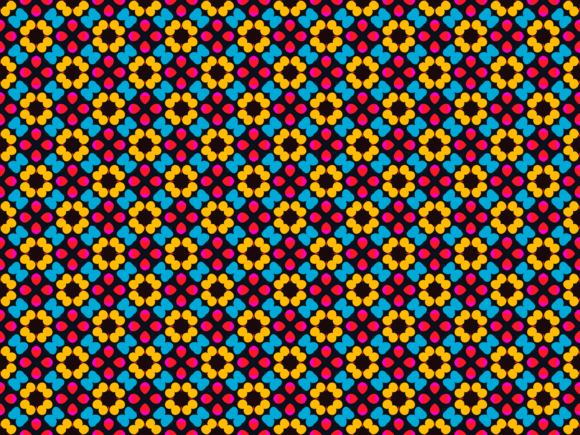
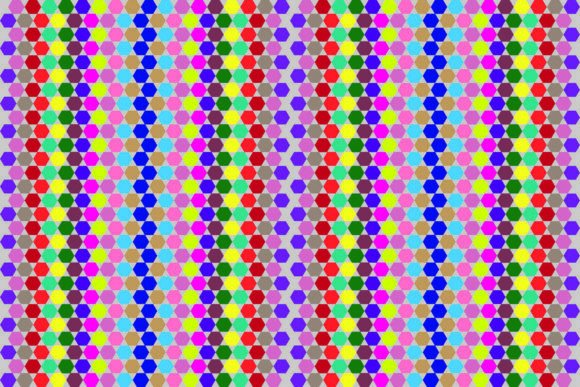
Colorful seamless patterns are repeating graphic designs that can be tiled without visible seams or breaks. They are commonly used in web design, print media, packaging, textiles, and digital art. These patterns often feature bright colors, intricate details, and dynamic compositions that make them stand out. The key feature of a seamless pattern is its ability to repeat seamlessly across any surface, which makes it ideal for backgrounds, borders, and other design elements that require continuity.
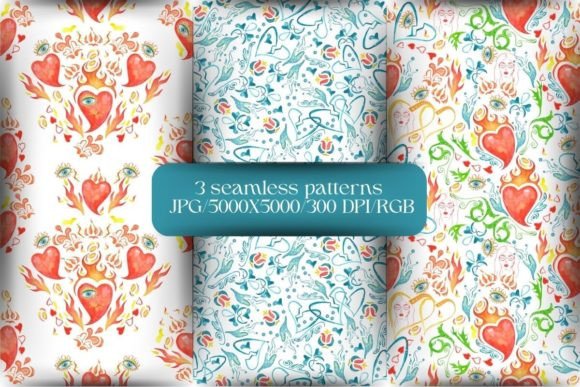
When you download a set of Colorful Seamless Patterns, you typically receive multiple file formats such as PNG, EPS, SVG, JPG, and DXF. Each format serves different purposes—PNGs are great for web use, while SVGs are scalable for vector-based projects. Understanding these differences is crucial before making a purchase or download.
Common Mistakes When Choosing Colorful Seamless Patterns
Selecting the wrong pattern can affect the overall look and feel of your project. Here are some common mistakes people make:
- Ignoring the purpose of the pattern: Not all patterns are suitable for every application. For example, a bold, chaotic pattern may not work well for a professional website but could be perfect for a festival poster. Always consider the context and audience before choosing a design.
- Misusing file formats: Downloading a PNG file for a high-resolution print job might result in pixelation. Make sure you choose the correct file type based on your needs. If you're unsure, opt for vector-based formats like SVG or EPS for scalability.
- Overlooking color compatibility: A vibrant pattern may clash with the existing color scheme of your project. Always test the pattern on a sample background or mockup to ensure it blends well with other design elements.
- Not checking resolution: Low-resolution images can appear blurry or pixelated when enlarged. Ensure that the files you download have sufficient resolution for your intended use. Look for patterns labeled as “high-res” or check the DPI (dots per inch) value.
How to Avoid These Mistakes
To avoid these issues, take the time to research and evaluate each pattern carefully. Here are some practical steps to help you make better choices:
- Define your project's needs: Before browsing through available patterns, clarify what you need. Are you designing for print or digital? What is the size of the final output? Knowing your requirements will help you narrow down your options.
- Preview the pattern in context: Use online tools or design software to see how the pattern looks when applied to your project. This helps you identify potential clashes or visual inconsistencies early on.
- Check file specifications: Always review the file types included in the package. If you need a vector file for editing, ensure that EPS or SVG formats are available. Also, verify that the resolution meets your project’s standards.
- Test on multiple surfaces: Apply the pattern to different backgrounds or layouts to see how it performs. Some patterns may look great on light backgrounds but become overwhelming on dark ones.
Why File Formats Matter
The variety of file formats included in a Colorful Seamless Patterns package is one of its biggest advantages. Let’s break down what each format is best suited for:
- PNG: Best for web use and digital projects where transparency is needed. PNG files support alpha channels, making them ideal for overlays and transparent graphics.
- JPG: Great for photographs and complex images with gradients. However, it doesn’t support transparency, so it’s less suitable for layered designs.
- SVG: Perfect for scalable vector graphics. SVG files maintain quality at any size, making them ideal for logos, icons, and illustrations that need to be resized frequently.
- EPS: Often used in print design due to its high resolution and compatibility with vector programs like Adobe Illustrator.
- DXF: Commonly used in CAD software for technical drawings and laser cutting. If you're working on industrial or architectural projects, DXF files can be very useful.
Understanding the strengths and limitations of each format will help you select the right one for your specific needs. Always double-check the file types included in the zip folder before downloading to ensure they meet your requirements.
Final Tips for Working with Colorful Seamless Patterns
Once you’ve selected the right pattern, there are still a few things to keep in mind:
- Use pattern overlays sparingly: While colorful patterns can add visual interest, overusing them can make a design feel cluttered or unprofessional. Balance is key.
- Experiment with placement: Try placing the pattern in different areas of your design to see how it affects the overall composition. Sometimes, a subtle placement can be more effective than a full background.
- Stay updated with trends: Design trends evolve, and what works today may not be as effective tomorrow. Keep an eye on current design movements to ensure your patterns remain relevant.
By avoiding common mistakes and understanding the nuances of Colorful Seamless Patterns, you can unlock their full potential and create visually stunning designs that resonate with your audience. Whether you're a beginner or a seasoned designer, taking the time to learn about these patterns will ultimately lead to better results and greater satisfaction in your creative projects.